Easy way to Block Unwanted Websites without Any Software : By Ayush
Guys,I know I'm posting after a long time but the fact is that I'm learning VB.NET....So I'm finding it difficult to get away from programming.Recently,I had come across this while i was programming one of my softwares.Like the title says "Block Unwanted Websites without Any Software" you really can do it !
What do you mean by "Blocking Websites" ?
This question is likely to arise in the minds of newbies so I'll just give a gist of it. By blocking a website you can prevent your children or anyway using your computer to access that particular website.For Instance,If i block "www.yahoo.com" then no one from my computer would be able to view "Yahoo !" but instead it would be redirected to some other site !
So now lets move on!
How to Block It ?
Just follow these easy steps and finally you should be able to Block the any desirable website !
1.Click on Start button and then choose "Run" from the menu.
2.Then type "%systemroot%" into the box and then click on "Ok"
3. Your "Windows" Directory should open up.
4.In that Navigate to "System32" Folder and Then "Drivers" Then "Etc".
So the navigation would be C:\Windows\System32\Drivers\Etc\
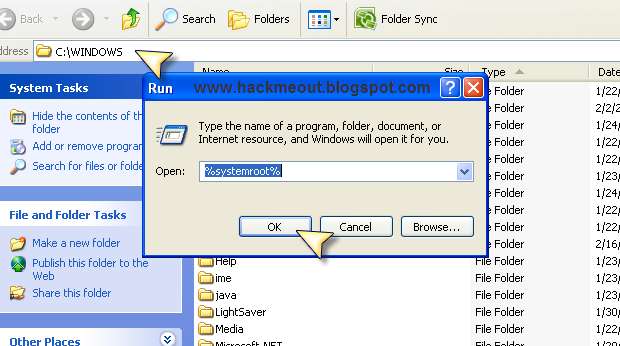
5.In that you would find a file named "Hosts".Click on it and follow as given in the Picture !
6.Then delete all its content and add this !
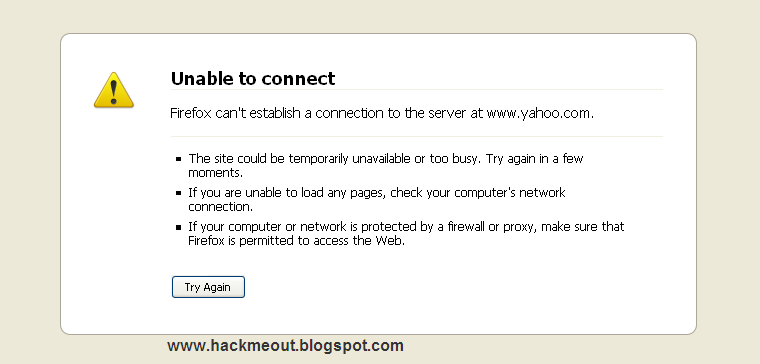
When the person opens "www.yahoo.com" then he gets an error like this !
You can add your own Website.Just replace "yahoo" with whatever website so it should look like this !
Anyway Google's IP is "209.85.231.104"
What do you mean by "Blocking Websites" ?
This question is likely to arise in the minds of newbies so I'll just give a gist of it. By blocking a website you can prevent your children or anyway using your computer to access that particular website.For Instance,If i block "www.yahoo.com" then no one from my computer would be able to view "Yahoo !" but instead it would be redirected to some other site !
So now lets move on!
How to Block It ?
Just follow these easy steps and finally you should be able to Block the any desirable website !
1.Click on Start button and then choose "Run" from the menu.
2.Then type "%systemroot%" into the box and then click on "Ok"
3. Your "Windows" Directory should open up.
4.In that Navigate to "System32" Folder and Then "Drivers" Then "Etc".
So the navigation would be C:\Windows\System32\Drivers\Etc\
5.In that you would find a file named "Hosts".Click on it and follow as given in the Picture !
6.Then delete all its content and add this !
##Hosts file editIn the notepad file.Then save it ! So here is a screenshot.
127.0.0.1 www.yahoo.com
127.0.0.1 yahoo.com
When the person opens "www.yahoo.com" then he gets an error like this !
You can add your own Website.Just replace "yahoo" with whatever website so it should look like this !
Basically the site will be redirected to 127.0.0.1.So if you use "Google's" Website IP instead of "127.0.0.1" then "www.yahoo.com" will be redirected to "www.google.com" automatically !
##Hosts file edit
209.85.231.104 www..somewebsite.com
209.85.231.104 somewebsite.com
Anyway Google's IP is "209.85.231.104"
Subscribe to: Post Comments (Atom)

0 comments:
Post a Comment
Links to this post