How to Mute all Sounds Playing in your Firefox Browser
Sometimes while browsing some websites you might come across any flash website which is playing a video or a sound file, so if you are already playing a song from your computer than these sounds can clash with each other and hence you will get fed up and you will have to turn off your music.
 Well we can off-course change sound volume or mute it through the sounds mixer options but well that’s not comfortable if you are frequent browser because you have go to that option than lower the volume and it takes some time. So we found another good and cool Firefox extension called “Muter” and it does job as it sounds.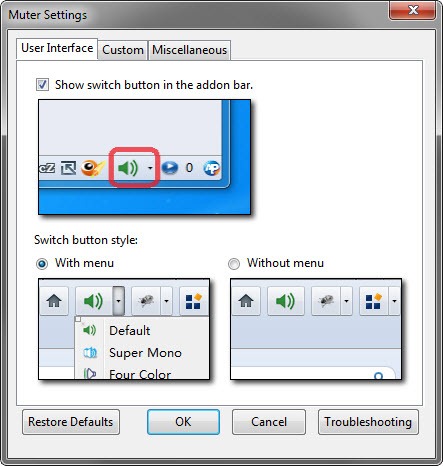
So now you can click on that icon and mute all the sounds, you can also use the hotkey Ctrl+Alt+Mfor muting and unmuting all sounds. So if you like this extension than you can get it from here.
Subscribe to: Post Comments (Atom)

0 comments:
Post a Comment
Links to this post